Writing a weekly newsletter is one of the highest-return activities for a one-person business, but facing a blank page every Friday morning is a massive source of friction. Staring at a blinking cursor while trying to force creativity often leads to missed deadlines and inconsistent communication. The stress of weekly writing causes many creators to abandon their email lists entirely.
This guide will show you how to build a reliable system that practically writes and sends itself. By structuring an automated newsletter workflow, you can maintain consistent, high-quality communication with your audience without the weekly anxiety.
What is an Automated Newsletter Workflow?
To fix the problem of the blank page, we must redefine the process of writing an email.
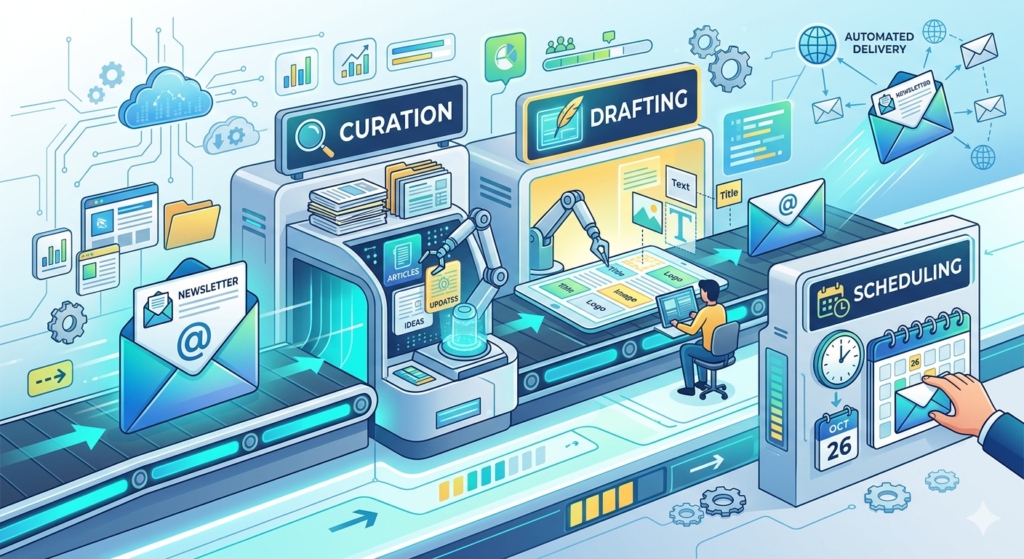
An automated newsletter workflow is a systematized process that uses software to gather, format, and schedule email content without requiring manual weekly input. It relies on smart content curation, drafting templates, and scheduling platforms to ensure consistent delivery to your subscribers.
This workflow shifts your mindset from “writing a newsletter from scratch” to “assembling pre-existing parts.”
Reducing the Friction of Weekly Writing
The biggest bottleneck in email creation is idea generation. If you sit down to write and have to think of a topic first, you have already lost precious time and energy.
The solution is building a passive curation pipeline. Throughout the week, save interesting articles, thoughts, and industry news to a central database on your phone or computer.
When it is time to draft the email, you aren’t starting from zero. You are simply assembling the pieces you have already collected. This single habit reduces the cognitive load of writing by more than half.
Leveraging an AI Writing Assistant
Even with a solid outline and curated links, the actual drafting process takes time. This is where artificial intelligence becomes your co-pilot.
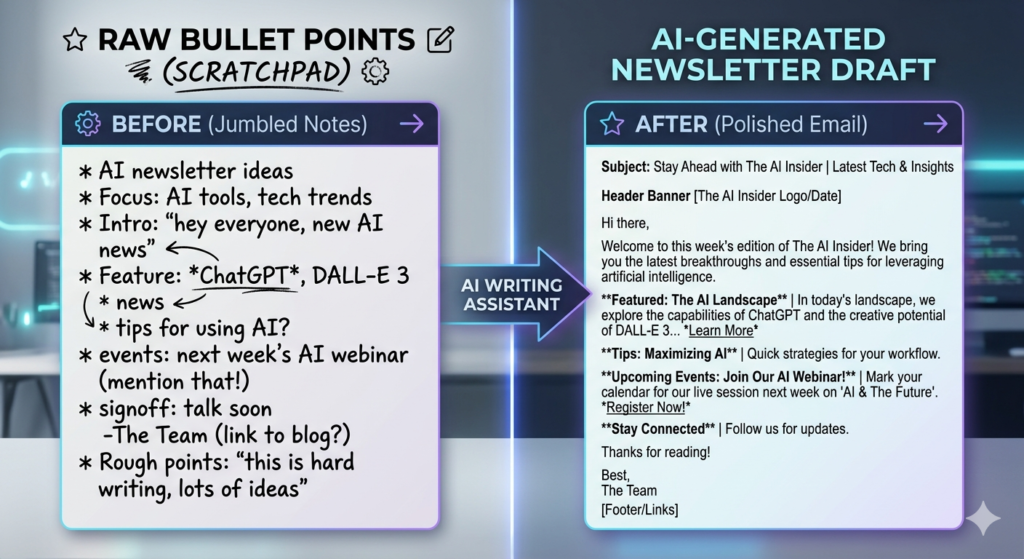
An ai writing assistant can take your rough bullet points and expand them into complete, engaging paragraphs that match your brand’s tone.
The AI Drafting Workflow
- Input: Feed your curated links and raw thoughts into the AI model.
- Prompt: Ask the AI to write a conversational introduction and summarize the resources you provided.
- Edit: Step in as the editor to refine the copy, inject your personal stories, and finalize the formatting.
To see how this drafting process fits into your broader digital strategy, read our comprehensive guide on How to Build an Automated Content Engine with AI.
Utilizing RSS to Email and Smart Formatting
If your primary goal is to share updates from your blog, podcast, or YouTube channel, you can remove the drafting step entirely.
The rss to email function automatically pulls your latest published content and formats it into an email template. Whenever a new post goes live on your website, your email software detects the update and automatically sends a digest to your subscriber list.
This setup ensures your audience never misses an update. More importantly, it requires zero extra effort on your part after the initial configuration.
Choosing the Right Platform for Email Marketing Automation
Your workflow is only as strong as the platform hosting it. You need software designed specifically for content creators rather than complex enterprise e-commerce stores.
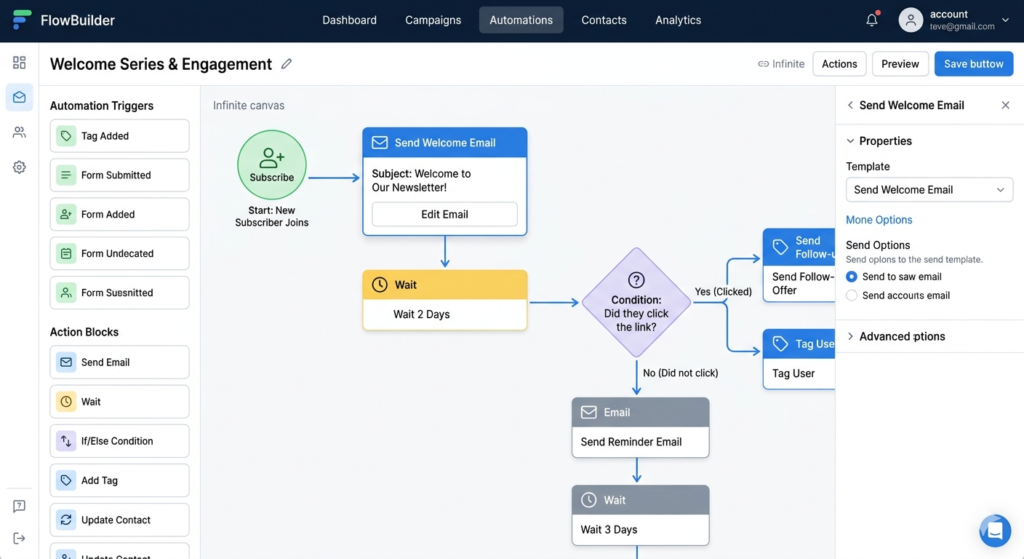
Modern email marketing automation platforms allow you to build visual sequences and schedule content weeks in advance. For instance, using a platform like Beehiiv or ConvertKit enables you to set up automated welcome sequences, tag subscribers based on their interests, and queue your weekly broadcasts seamlessly.
These tools provide the necessary infrastructure to put your communication on autopilot while maintaining high deliverability rates.
Conclusion
Building an automated newsletter is not about removing the human element from your writing; it is about removing the operational drag. By curating content passively, utilizing an AI co-pilot for the heavy lifting, and leveraging smart distribution software, you can keep your audience engaged week after week. Stop dreading the Friday deadline and start building a communication system that scales with your business.
Frequently Asked Questions (FAQ)
What is the best day to send a weekly newsletter?
The optimal day depends on your specific audience and industry. However, general data suggests that Tuesday, Wednesday, and Thursday mornings typically see the highest open rates for professional and educational content.
Can an AI writing assistant capture my unique voice?
Yes, but it requires upfront training. You must provide the AI with examples of your past writing, explicit instructions regarding your tone (e.g., “witty,” “academic,” “casual”), and strict formatting rules to ensure the output sounds like you.
What exactly is RSS to email?
RSS (Really Simple Syndication) is a web feed that allows users and applications to access updates to websites in a standardized format. RSS to email is a software feature that monitors this feed and automatically generates an email campaign whenever a new piece of content is published.
Will automated emails end up in the spam folder?
Automation itself does not cause emails to go to spam. Spam filters trigger based on poor domain reputation, deceptive subject lines, lack of proper authentication (DKIM/DMARC), and low engagement rates from your subscribers.