Nothing drains a solopreneur’s energy faster than mindless copy-pasting. Moving a client’s name, email, and phone number from an inbox into a spreadsheet is not just tedious; it is a terrible use of your specialized skills. Every minute spent transcribing data is a minute stolen from high-value tasks like strategy, client delivery, or taking a well-deserved break.
Furthermore, human fingers are prone to typos. A single mistyped digit in an email address or invoice amount can cause significant communication breakdowns and delayed payments. If you want to scale your operations safely, you must reduce manual data entry to near zero.
This guide explores three specific, technology-driven methods to move data from Point A to Point B automatically, ensuring your digital workspace remains fast and error-free.

What is Manual Data Entry Automation?
Before applying the specific methods, it is important to understand the overarching concept.
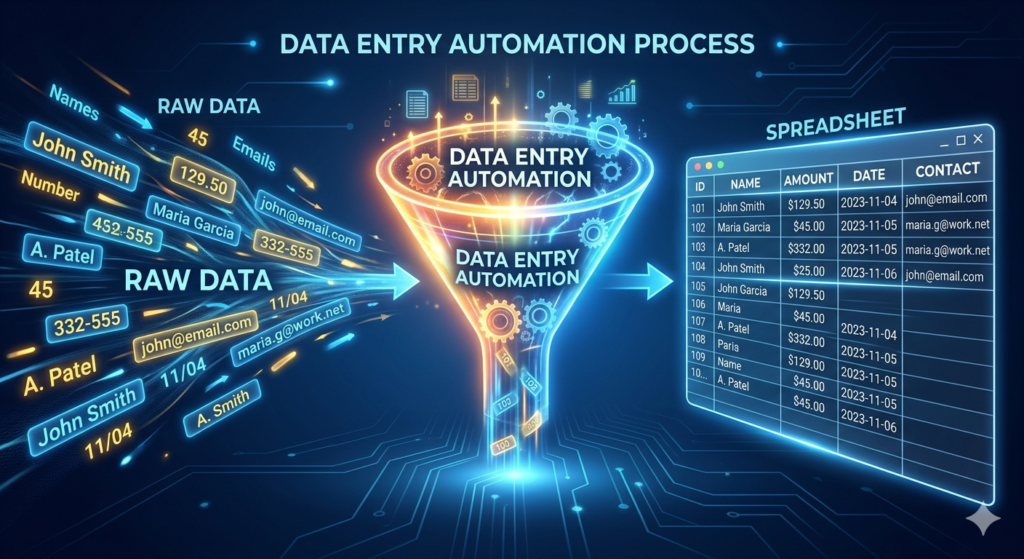
Manual data entry automation is the strategic use of software tools to capture, extract, and route information between systems without human typing. It relies on digital forms, text recognition, and web extraction to instantly populate databases, significantly improving business speed and eliminating costly typographical errors.
By shifting this burden to software, you transform your role from a data clerk to a data manager. You only interact with the information once it is already neatly organized in your database.
Way 1: Form Automation (Let the Client Do the Work)
The most efficient way to enter data into your system is to have the source of the data do it for you. Whenever you need information from a client, you should never ask for it in a plain text email.
Instead, utilize form automation. By sending a structured digital form, you force the data into a standardized format right from the start. You can then connect that form directly to your database using integration software.
For example, using a modern builder like Typeform or Tally allows you to create a beautiful, branded intake questionnaire. When the client hits “Submit,” the software automatically pushes their First Name, Company, and Budget directly into their respective columns in your CRM. The data bypasses your inbox entirely and lands exactly where it belongs.
Way 2: Extracting Text with OCR Technology
Forms work perfectly for digital interactions, but business still involves physical documents or “flat” files like PDFs and images. If you receive a printed receipt or a scanned vendor invoice, you cannot easily copy the text.
This is where ocr technology (Optical Character Recognition) becomes essential. OCR is artificial intelligence that “reads” an image and converts the visual letters into selectable, editable text.
You can set up workflows where you simply snap a photo of a receipt with your phone. The OCR software scans the image, identifies the vendor name, date, and total amount, and automatically logs the expense in your accounting software. It turns static pictures into dynamic, usable data in seconds.
Way 3: Gathering Web Intelligence via Data Scraping
Sometimes the data you need lives on someone else’s website. If you are building a list of potential leads or researching competitor pricing, manually clicking and copying every single profile is incredibly inefficient.
Data scraping is the process of using software bots to navigate a website and extract specific information at scale. You point the scraper at a public directory, and it can instantly pull hundreds of names, job titles, and company URLs into a structured CSV file.
Once you have gathered this intelligence, you need a robust infrastructure to store and utilize it effectively. To learn how to build the perfect database for this kind of operation, read our guide on The Perfect No-Code Tech Stack for Solopreneurs.
Conclusion
Clinging to manual processes is a direct barrier to growth. When you take the steps to reduce manual data entry, you instantly increase your operational capacity. By implementing structured form automation, utilizing OCR technology for physical documents, and leveraging data scraping for web research, you eliminate the friction of moving information. Build these three pipelines today, and you will never have to mindlessly copy and paste again.
Frequently Asked Questions (FAQ)
What is the easiest way to start reducing data entry?
The absolute easiest starting point is form automation. Replace any process where you currently ask clients for information via email (like onboarding or project feedback) with a structured digital form connected to your database.
Is data scraping legal?
Generally, scraping publicly available data (like a public directory or a standard website) is legal. However, scraping data hidden behind a login, scraping copyrighted material, or aggressively overloading a server (DDoS) violates most websites’ Terms of Service and can have legal repercussions. Always review a site’s rules before scraping.
How accurate is OCR technology?
Modern OCR technology is highly accurate (often 98% or higher) when reading standard, typed digital fonts on clear documents. However, accuracy decreases significantly if it attempts to read messy handwriting, crumpled receipts, or low-resolution photographs.
Does form automation work with my existing email marketing tool?
Yes. Almost all modern form builders have native integrations (or connect via tools like Zapier) to popular email marketing platforms. This allows you to automatically subscribe a user to your newsletter the moment they fill out an inquiry form.