Building a fully connected, automated business is an incredible achievement that buys back your time and scales your output. However, convenience often comes at the cost of vulnerability. When your email, database, and financial software are all talking to each other automatically, a single breached account can cause a catastrophic domino effect across your entire operation.
If a hacker gains access to an isolated email account, the damage is contained. But if they gain access to an email account that is automatically connected to your CRM, cloud storage, and invoicing software via API triggers, they suddenly hold the keys to your entire digital empire. To prevent this, you must prioritize automation security from day one.
This guide outlines the critical steps you must take to ensure your interconnected systems remain an asset rather than a massive liability.
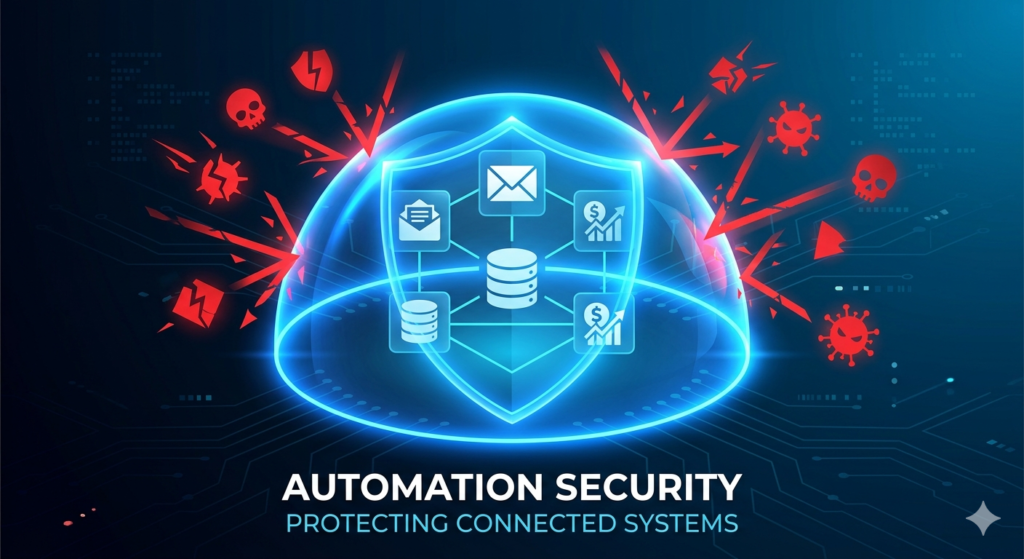
What is Automation Security?
Before you can defend your systems, you must understand what you are protecting.
Automation security is the practice of safeguarding interconnected software applications and data flows against unauthorized access or breaches. It involves applying strict authentication protocols, auditing API integrations, and managing user permissions to ensure your automated digital workflows remain protected and compliant with industry regulations.
A strong security posture means that even if one component of your system is targeted, the automated pathways are restricted enough to prevent the threat from spreading to your core databases.
Safeguarding Data Privacy
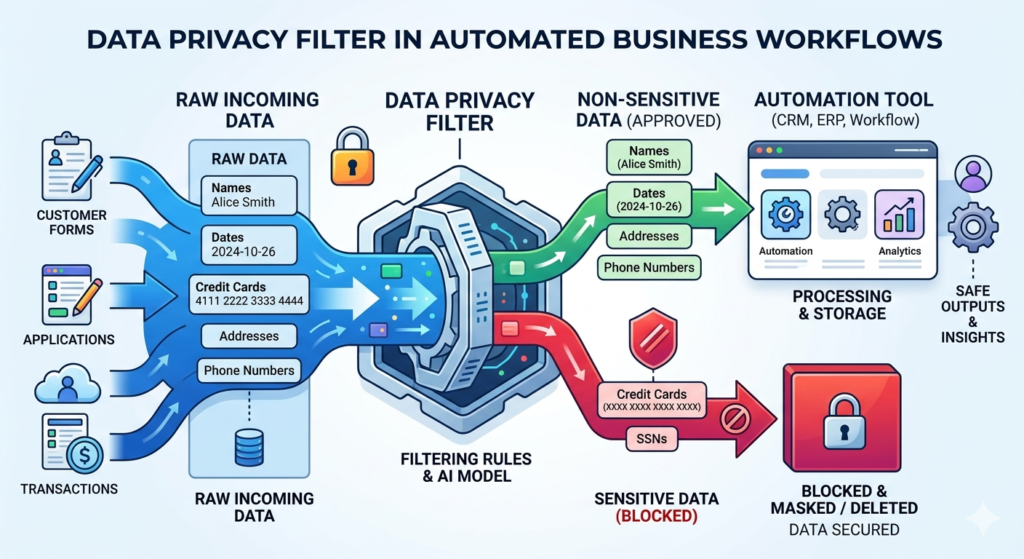
The foundational rule of securing automated workflows is the principle of “least privilege.” This means you should only allow an application access to the specific data it absolutely needs to function, and nothing more.
When configuring an integration, carefully review what data is being passed from Point A to Point B. You must ensure strict data privacy by avoiding the transfer of highly sensitive information, such as credit card numbers or Social Security numbers, through plain text automation tools like Zapier or Make.
Sensitive data should remain securely vaulted within dedicated, compliant platforms (like Stripe for payments), while your automation tools should only pass non-sensitive metadata (like “Payment Status: Paid”).
Implementing Robust Password Management
The most common way automated businesses get hacked is through password reuse. If you use the same password for your project management tool and your central integration hub, a leak on a minor website can compromise your core infrastructure.
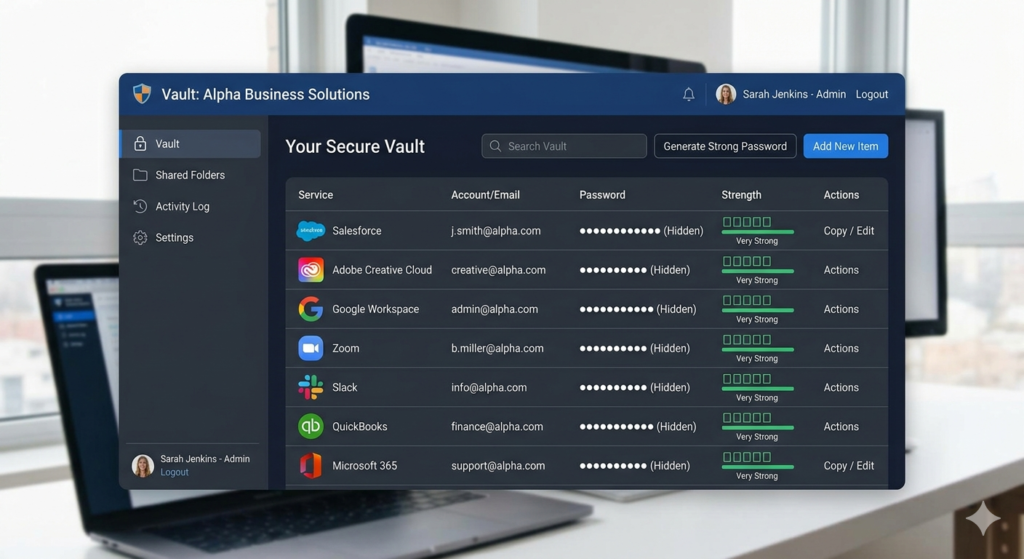
Every single software application in your stack must have a long, randomly generated, and completely unique password. Because human memory cannot manage dozens of complex strings, utilizing a professional vault like 1Password or LastPass is non-negotiable.
Proper password management ensures that you only need to remember one master password. The software handles generating, storing, and auto-filling the complex credentials for every connected app, instantly removing your greatest point of human error.
Enforcing 2FA for Business Operations
Even the strongest password can be stolen through a sophisticated phishing attack. To protect your core operational hubs, you must add a secondary layer of authentication.
Implementing 2fa for business (Two-Factor Authentication) requires a user to provide two distinct forms of identification before granting access: something you know (your password) and something you have (your mobile device or security key).
You should enable 2FA on every application that forms your core infrastructure. For a complete look at which tools should make up this core infrastructure, review our guide on The Perfect No-Code Tech Stack for Solopreneurs. If 2FA is an option, turn it on. For the highest level of security, avoid SMS-based 2FA, which can be intercepted, and use an authenticator app (like Google Authenticator or Authy) instead.
Auditing Your Connected Apps
Automation is often “set it and forget it,” which is great for productivity but dangerous for security. Over time, you will test new tools, grant them API access, and then eventually stop using them.
If you delete an app from your phone or stop paying for a subscription, that software may still retain active API access to your Google account or CRM. These abandoned connections are prime targets for cybercriminals.
You should conduct a digital audit every quarter. Log into your primary hubs (Google Workspace, Zapier, Make, Microsoft 365) and review the “Connected Apps” or “Authorized Integrations” menu. Revoke access to any tool you no longer use actively.
Conclusion
The speed and efficiency of interconnected systems should never blind you to their risks. By prioritizing automation security, you create a resilient digital environment that protects your clients and your livelihood. Embracing strict data filtering, utilizing a digital vault, enforcing two-factor authentication, and regularly auditing your connections ensures that your business remains a secure, scalable fortress.
Frequently Asked Questions (FAQ)
What is the most secure method for Two-Factor Authentication (2FA)?
The most secure method is a physical hardware key (like a YubiKey) that you must plug into your computer. The second most secure is an Authenticator app (like Authy or Google Authenticator). SMS text messages are the least secure, as phone numbers can be hijacked via “SIM swapping” attacks.
Are API keys dangerous to share?
Yes. An API key acts as a master password for a specific software account. You should never paste an API key into a public forum, a public GitHub repository, or an unencrypted email. Treat it with the exact same secrecy as your bank password.
How often should I change my passwords?
If you are using a secure password manager and unique, randomly generated passwords for every site, you generally only need to change a password if that specific service announces a data breach. Arbitrary, frequent password changes actually encourage users to create weaker, easier-to-guess passwords.
Is it safe to use Zapier or Make for client data?
Yes, reputable integration platforms use strong enterprise encryption (like AES-256) for data in transit and at rest, and they comply with major privacy frameworks. However, you should still avoid passing highly sensitive financial or medical data through these tools unless absolutely necessary.