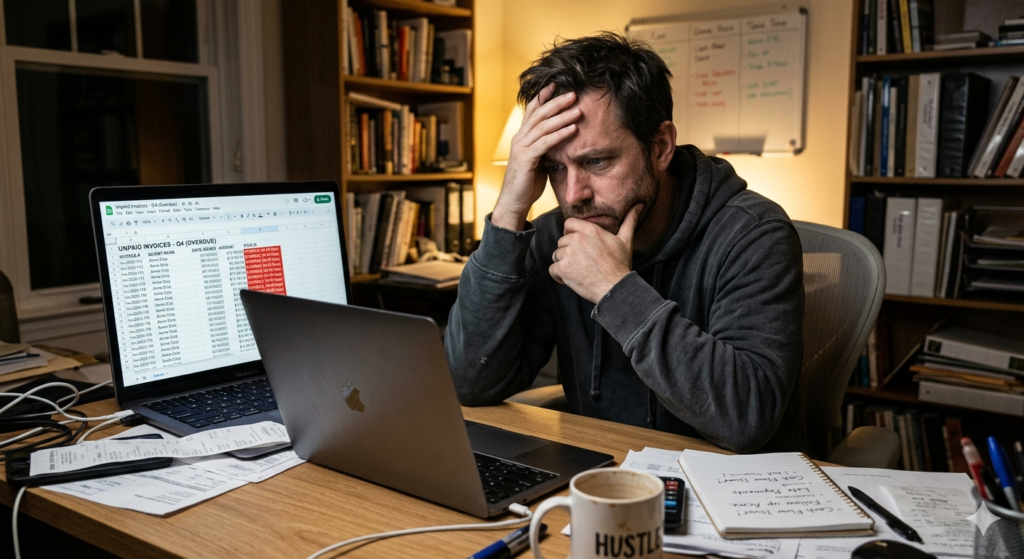
As a solopreneur, completing a project is only half the battle; collecting the money is often where the real stress begins. Chasing down late payments creates awkward client interactions and dangerous cash flow delays that can stall your business growth. If you want to protect your peace of mind and your bank account, you must automate invoicing.
This guide explains how to remove the friction from your billing process so you can get paid on time, every time, without sending a single manual follow-up email.
What is Automated Invoicing?
Before diving into the setup, it is important to understand how the technology functions.
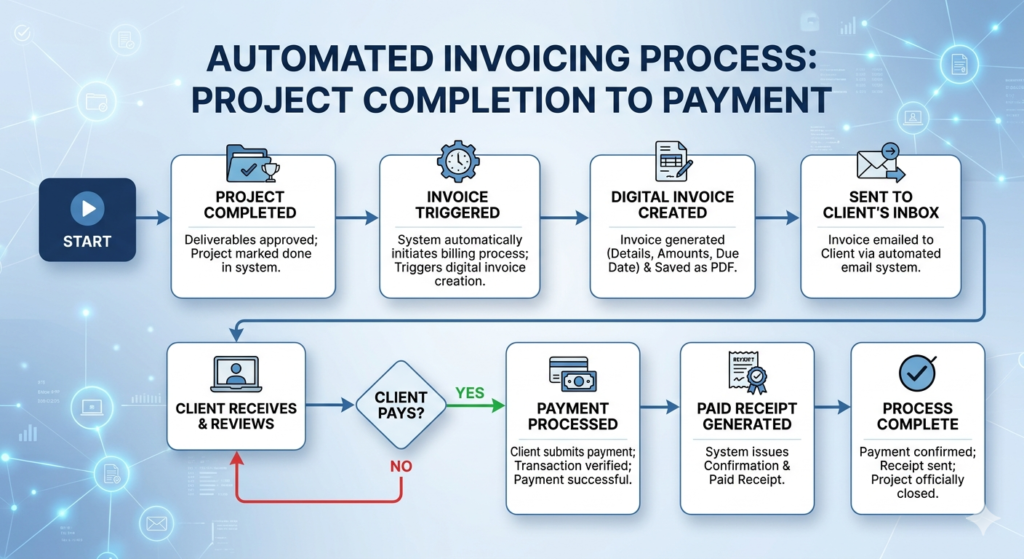
To automate invoicing means using financial software to automatically generate, send, and track client bills based on predetermined triggers. It eliminates manual data entry and integrates payment gateways, allowing businesses to schedule recurring charges and send automated payment reminders without human intervention.
This process shifts the burden of collections from the business owner to the software, ensuring that financial logistics never fall through the cracks during busy work weeks.
The Impact on Small Business Finance
Cash flow is the oxygen of any small business finance system. When invoices sit unpaid for 30 or 60 days, your ability to pay for software, contractors, or your own salary is severely compromised.
Implementing accounts receivable automation fundamentally changes this dynamic. By removing the administrative delay between finishing the work and sending the bill, you drastically reduce the time it takes for money to hit your bank account.
When clients receive an immediate, professional invoice with a clickable payment link, they are far more likely to pay it the same day. This frictionless experience is the most effective strategy to get paid faster and stabilize your monthly income.
How to Set Up Payment Reminders
Following up on owed money is notoriously uncomfortable. It often forces you to switch from a collaborative partner to a strict debt collector, which can strain client relationships.
Automation removes this emotional friction entirely. You can configure your billing software to send polite, standardized reminders at specific intervals.
A Standard Reminder Sequence
- 3 Days Before Due: A gentle, automated nudge indicating that the invoice is coming due soon.
- On the Due Date: A direct notification that payment is expected today.
- 3 to 5 Days Late: A firmer email reminder, potentially mentioning late fees if they are outlined in your contract.
Because these emails are sent systematically by a software platform, clients rarely take offense. They simply view it as a standard administrative process.
Integrating Invoices into Your Workflow
Invoicing should not exist in a vacuum. It must be a seamless part of your broader operational systems. Ideally, the creation of an invoice should be triggered by a specific action, such as signing a contract or completing a project milestone.
For a comprehensive overview of how billing fits into the very beginning of a client relationship, review our detailed guide on The Ultimate Guide to Automating Client Onboarding.
To execute this effectively, you need dedicated accounting software designed for modern service providers. Using a platform like FreshBooks or Xero allows you to connect your time-tracking and project management directly to your billing. When a milestone is marked complete, the software automatically drafts the invoice and queues the reminders, requiring only a quick final approval click from you.
Conclusion
Solving the cash flow delay problem is essential for long-term business survival. When you automate invoicing, you reclaim the hours previously lost to manual data entry and awkward follow-up communications. By implementing a system that sends bills promptly and chases late payments objectively, you ensure that your hard work translates directly into consistent, reliable revenue.
Frequently Asked Questions (FAQ)
Can I charge late fees with automated invoicing?
Yes. Most modern invoicing platforms allow you to set rules that automatically apply a flat fee or a percentage-based late fee to the invoice if it remains unpaid past a specific number of days. However, ensure this policy is clearly stated in your initial contract.
Is it safe to connect my bank account to invoicing software?
Yes, reputable invoicing and accounting platforms use bank-level encryption and secure tokenization to connect to your financial institutions. They do not store your direct banking credentials, but rather use secure APIs (like Plaid) to facilitate the connection.
What if a client pays outside the automated system?
If a client pays via a physical check or a direct wire transfer outside of your payment gateway, you must manually log into your software and mark the specific invoice as “Paid.” This stops the automated reminders from sending and keeps your accounting records accurate.
Should I automate invoices for hourly work or just flat fees?
Both can be automated. Flat fees can be scheduled to send on specific dates. For hourly work, you can use integrated time-tracking tools that automatically compile your logged hours at the end of the week or month and generate a detailed invoice based on your hourly rate.