Running a one-person business often feels like juggling flaming swords while riding a unicycle. You are the CEO, the marketing department, the customer support agent, and the IT specialist all at once. The only way to survive and thrive without burning out is to stop trading time for money and start leveraging technology.
This is where the concept of a "Solopreneur Automation Blueprint" becomes essential. It is not just about using software; it is about fundamentally changing how you operate. By building systems that run in the background, you can reclaim hours of your day, focus on high-impact work, and scale your revenue without hiring a massive team.
This guide provides a comprehensive overview of why and how to start automating your business operations today.
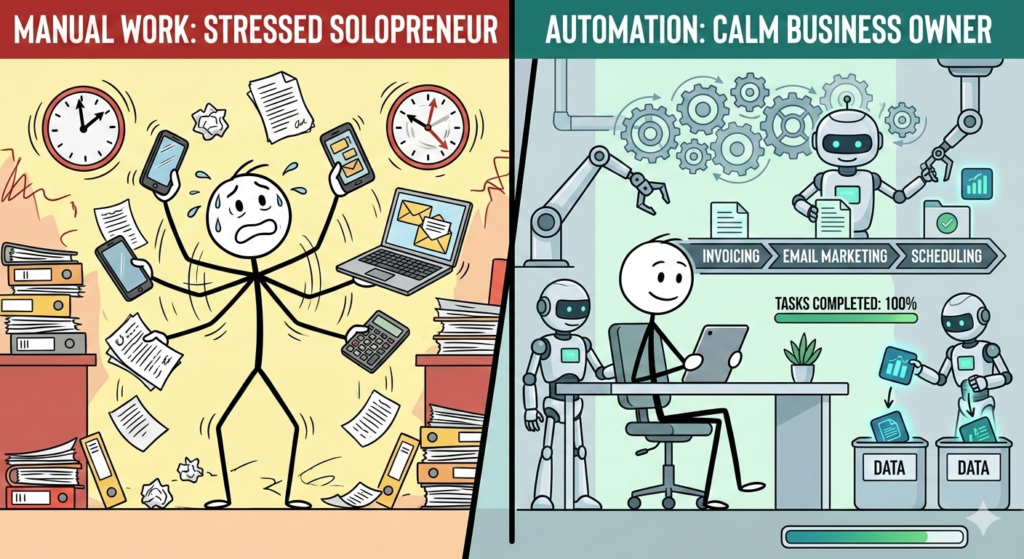
What is Business Automation?
To build a blueprint, we must first define the foundation.
Business automation is the use of technology to execute recurring tasks or processes in a business where manual effort can be replaced. It involves connecting different software applications so that data moves automatically between them, minimizing the need for human intervention and significantly increasing operational efficiency.
For a solopreneur, this means your email marketing software talks to your CRM, your calendar automatically schedules meetings, and your invoices send themselves. It turns a chaotic collection of tasks into a synchronized engine.
The Benefits of AI for Business and Automation
Many small business owners hesitate to automate because they fear losing the "personal touch" or believe the technology is too complex. However, integrating automation and Artificial Intelligence (AI) into your workflow offers advantages that far outweigh the learning curve.
1. Drastic Reduction in Operational Friction
Manual data entry is the silent killer of productivity. Moving client names from an email to a spreadsheet might take only two minutes, but doing it 30 times a day costs you an hour. Automation eliminates this friction completely.
2. Consistency and Accuracy
Humans make mistakes, especially when tired. Automated workflows do not get tired. They perform the same task exactly the same way, every single time. This ensures that no client falls through the cracks and every invoice is accurate.
3. Scalability Without Headcount
The traditional way to grow a business was to hire more people. With automation, you can handle 100 clients with the same effort it takes to handle 10. You are essentially cloning yourself digitally.
How to Systemize Business Operations
Before you sign up for any tools, you need to "systemize" your business. You cannot automate a process that doesn't exist. Start by mapping out your workflows.
Identify the "Trigger" and "Action"
Every automation consists of a Trigger (what starts the process) and an Action (what happens next).
- Trigger: A new lead fills out a contact form on your website.
- Action: An email is sent to them, and their details are added to your CRM.
Categorize Your Tasks
Look at your weekly to-do list and categorize tasks into three buckets:
- Delete: Tasks that bring no value.
- Delegate: High-level tasks that require human judgment (eventually for a VA).
- Automate: Repetitive, rule-based tasks (data entry, scheduling, reminders).
Focus your energy entirely on the third bucket.
The Role of "AI Operations"
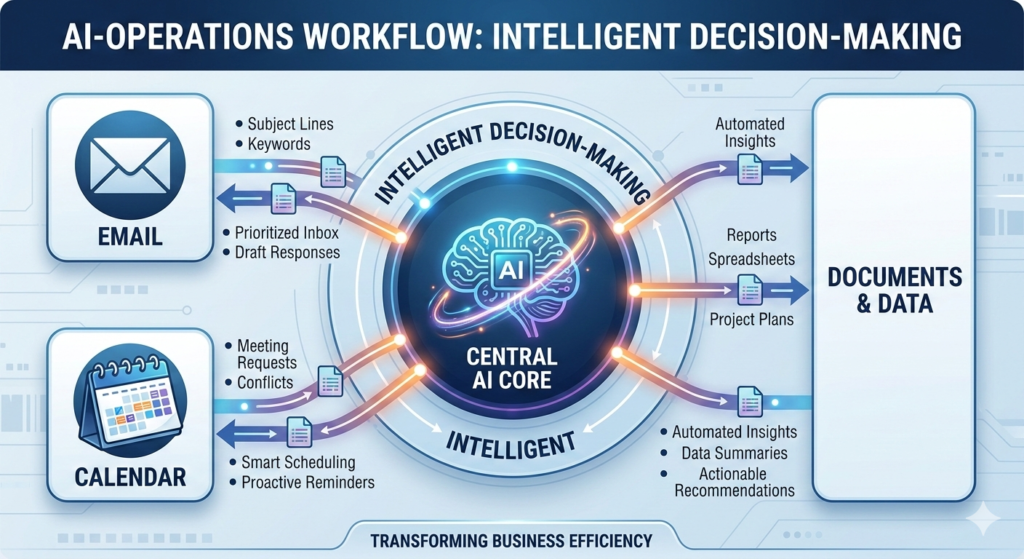
We are moving past simple "if this, then that" automation into a new era: AI Operations.
AI operations definition: This refers to the integration of artificial intelligence into business workflows to handle complex, cognitive tasks—not just repetitive ones.
While standard automation moves data from Point A to Point B, AI Operations can analyze that data. For example, standard automation can forward a client email to you. AI Operations can read the email, draft a response based on your tone of voice, and save a summary of the request to your project management tool.
Building Your Automation Tech Stack
To execute this blueprint, you need the right tools. Your "Tech Stack" is the collection of software that runs your business.
The Central Nervous System
You need a connector tool—software that acts as the glue between your various apps. While there are several options, many solopreneurs prefer visual platforms that allow you to see the logic of your workflows.
One highly effective platform for this is Make. It allows you to build complex, multi-step scenarios where you can visualize exactly how data flows from one app to another. Unlike simpler tools, it offers granular control over data formatting and error handling, which is crucial as your systems grow more complex.
The Essential Layers
- Communication: Email (Gmail/Outlook) and Team Chat (Slack/Discord).
- Database/Organization: Where your data lives (Notion/Airtable/Google Sheets).
- External Front-End: How clients talk to you (Typeform/Website).
Steps to Launch Your First Automation
If you are new to this, start small. Do not try to automate your entire business in one weekend.
- Pick One Pain Point: Identify the one task you hate doing the most.
- Map the Steps: Write down exactly what you do manually. Example: "I copy the email address, open my spreadsheet, paste it in row B, and type the date."
- Build the Scenario: Use your connector tool to replicate these steps digitally.
- Test It Run the automation with test data to ensure it works.
- Iterate: Once the first one is running, move to the next pain point.
Conclusion
Creating a business automation blueprint is the single most effective way to secure your freedom as a solopreneur. It transforms your business from a job you created for yourself into an asset that functions independently of your immediate attention. By embracing operational efficiency and leveraging tools, you can build a system that supports your life rather than consuming it.
Start with one simple workflow today, and watch how much mental energy you reclaim.
Frequently Asked Questions (FAQ)
What is the difference between standard automation and AI automation?
Standard automation follows strict rules (e.g., "If X happens, do Y"). It cannot deviate from the plan. AI automation uses machine learning to make decisions or handle unstructured data, such as writing text, generating images, or analyzing sentiment in a customer email.
Is business automation expensive to set up?
No. Most automation tools offer free tiers or low-cost entry plans. The primary investment is the time spent learning how to set up the workflows. Once active, the time saved usually pays for the software subscription many times over.
Can I automate everything in my business?
You can, but you shouldn't. You should automate low-value, repetitive tasks like invoicing, scheduling, and data entry. You should notautomate high-value relationship building, strategic decision-making, or complex problem-solving that requires human empathy.
Do I need to know how to code to use automation tools?
No. Modern automation platforms are "No-Code" or "Low-Code." They use visual drag-and-drop interfaces that allow you to connect apps without writing a single line of programming code.