Automation is often sold as a magic pill for solopreneurs—a way to replace a team of employees with a few clever software integrations. While this is largely true, the path to a fully automated business is paved with potential disasters.
If you rush into automation without a clear strategy, you risk creating “ghost” errors where tasks are marked complete but never actually happen, or sending robotic, impersonal emails to your most important clients. Instead of saving time, you end up spending your weekends fixing a digital mess.
To build a resilient business, you must navigate around these pitfalls. Here are the five most dangerous traps to avoid when building your automated empire.
1. Automating a Bad Process
The golden rule of automation is simple: Technology amplifies efficiency, but it also amplifies inefficiency.
Common automation mistakes occur when business owners attempt to automate a process that is fundamentally broken or undefined. If you automate a chaotic, inefficient manual process, you will simply get chaotic results faster.
Before you log into any automation platform, you must refine the manual process first. Ensure the steps are logical, necessary, and effective. Only once the workflow is optimized on paper should you translate it into code.
For a deeper dive on how to map these processes correctly, refer to “The Solopreneur Automation Blueprint: A Complete Guide“.
2. Over-Automating (The “Rube Goldberg” Effect)
It is easy to get addicted to the feeling of automation. Suddenly, you want to automate your coffee maker, your dog walker, and every single email reply.
Over-automating happens when you spend 10 hours building a complex workflow to save a task that takes 2 minutes once a month. This is a negative return on investment.
The “Is It Worth It?” Checklist:
- Frequency: Do I do this task daily or weekly?
- Complexity: Does it require human judgment?
- Risk: If the bot fails, is the consequence severe?
If a task is rare or high-risk, keep it manual.
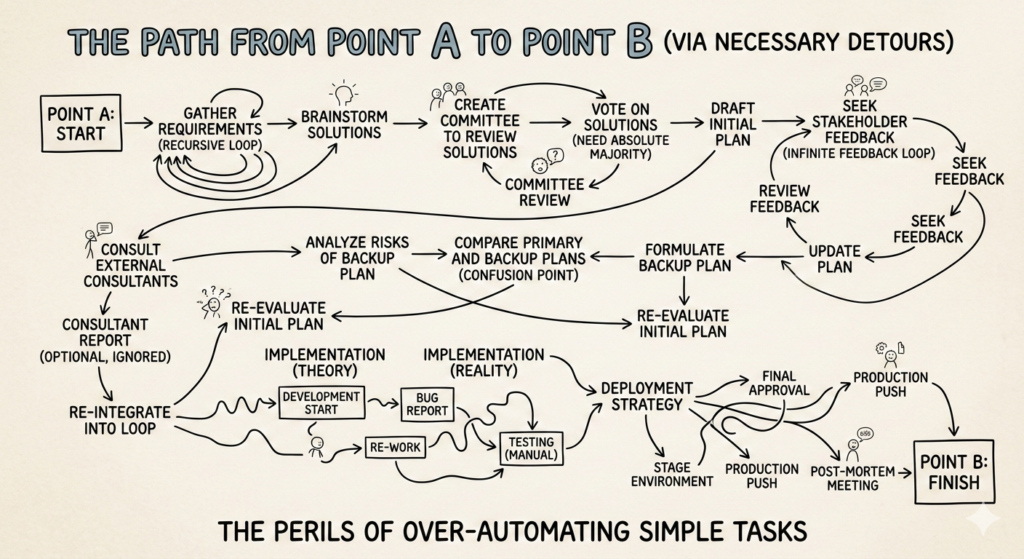
3. Ignoring Error Handling
This is the most technical but crucial mistake. Software updates, passwords change, and servers go down. When this happens, your automation will break. If you haven’t set up “Error Handling,” you might not know it broke until a client complains they never received their deliverable.
You need a system that alerts you when things go wrong.
Most advanced automation tools have built-in features for this. For example,Zapier allows you to set up “Zap Paths” or troubleshoot errors in your history to see exactly where the data transfer failed. Ignoring these features is like driving a car without a dashboard check-engine light—you won’t know there is a problem until the engine smokes.
4. Removing the Human Touch entirely
Efficiency should never come at the cost of relationships. There is a fine line between a helpful automated receipt and a cold, robotic response to a sensitive client inquiry.
Workflow optimization tips often suggest automating the administrative side of a relationship (scheduling, invoicing, data entry) but keeping the communication side human.
- Do Automate: “Here is the link to book our call.”
- Do Not Automate: “I am sorry to hear you are unsatisfied with the project.”
5. The “Set It and Forget It” Myth
There is no such thing as a permanent automation. APIs (the bridges that connect software) change frequently. A tool you use might change its data format, causing your workflow to break silently.
Broken workflows are inevitable if you do not have a maintenance schedule. You should review your core automations once a month to ensure they are still firing correctly and that the data is accurate. Treat your automations like employees—check in on them regularly to make sure they are doing their job.
Conclusion
Avoiding common automation mistakes requires a shift in mindset. You are not just building a machine; you are managing a digital workforce. By avoiding over-complexity, monitoring for errors, and maintaining the human element where it counts, you can build a system that scales with you rather than collapsing under its own weight.
Start simple, test often, and remember that the goal is freedom, not complexity.
Frequently Asked Questions (FAQ)
What is the most common mistake in automation?
The most common mistake is trying to automate a process that hasn’t been standardized yet. If you can’t write down the steps on a piece of paper clearly, a computer software cannot execute them for you.
How do I fix a broken workflow?
First, check the “History” or “Logs” of your automation tool. This will usually tell you which specific step failed and why (e.g., “File not found” or “Unauthorized”). Often, it is as simple as reconnecting your account (refreshing the login).
Is it bad to use too many automation tools?
Yes and no. Using too many different platforms can create “Tech Debt,” where your data is scattered across too many places. It is better to stick to one main “connector” tool (like Zapier or Make) to keep all your logic in one central hub.
How often should I update my automations?
You should audit your automations quarterly. As your business grows, your needs change. An automation you built six months ago might now be redundant or sending outdated information to clients.