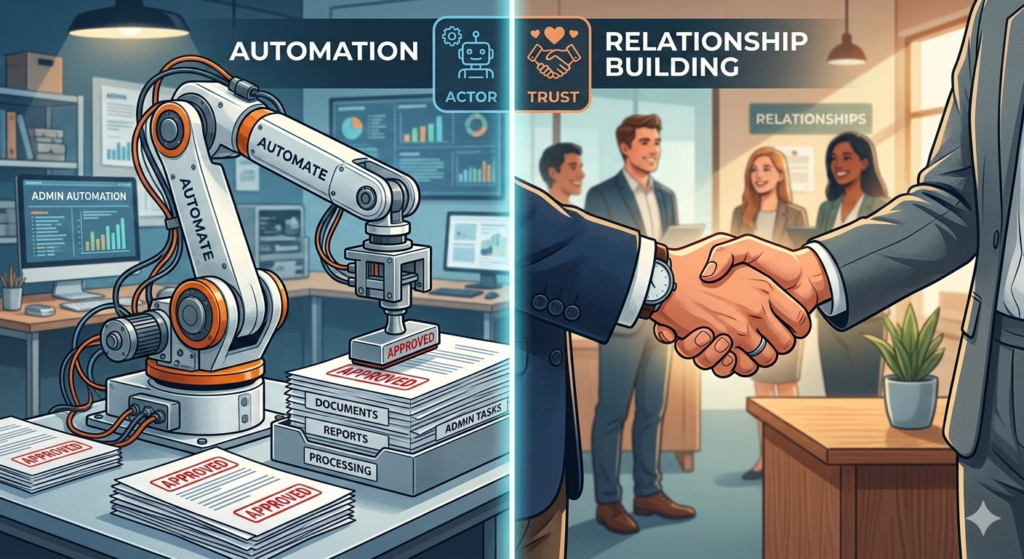
When you first discover the power of business software, the temptation is to put your entire operational life on autopilot. However, automating the wrong parts of your business can actually damage your reputation and alienate your clients. The goal is to automate boring tasks so you have more time and energy to invest in the relationships that actually drive your business forward.
Many solopreneurs fall into the trap of using technology as a barrier between themselves and their customers. They set up robotic auto-replies for sensitive inquiries or use generic templates for high-ticket client interactions. This approach quickly destroys trust and reduces the perceived value of your services.
This guide will help you develop a framework to differentiate between the low-value administrative work you should delegate to software and the high-value connection points you must keep entirely human.
What is a Smart Automation Strategy?
To avoid alienating your audience, you must approach your tech stack with clear intentions.
A smart automation strategy is the deliberate practice of using technology to handle repetitive, low-value administrative work while intentionally reserving complex, relationship-building activities for human interaction. It ensures operational efficiency without sacrificing the personal connection required to build trust and client loyalty.
Without this strategy, you risk optimizing your business for speed rather than quality. Efficiency is useless if it results in a poor client experience.
The Importance of the Human Touch in Business
People buy from people, especially in the solopreneur and service-provider space. Clients are often paying a premium specifically for your unique expertise, personality, and attention. If they wanted a faceless, standardized experience, they would go to a massive corporation.
The human touch in business is your competitive advantage. It is the empathy you show when a client is frustrated, the nuanced advice you provide during a strategy call, and the personalized feedback you give on a project.
When you automate these touchpoints, you strip away the very essence of why people chose to work with you in the first place.
Categorizing Your Workload
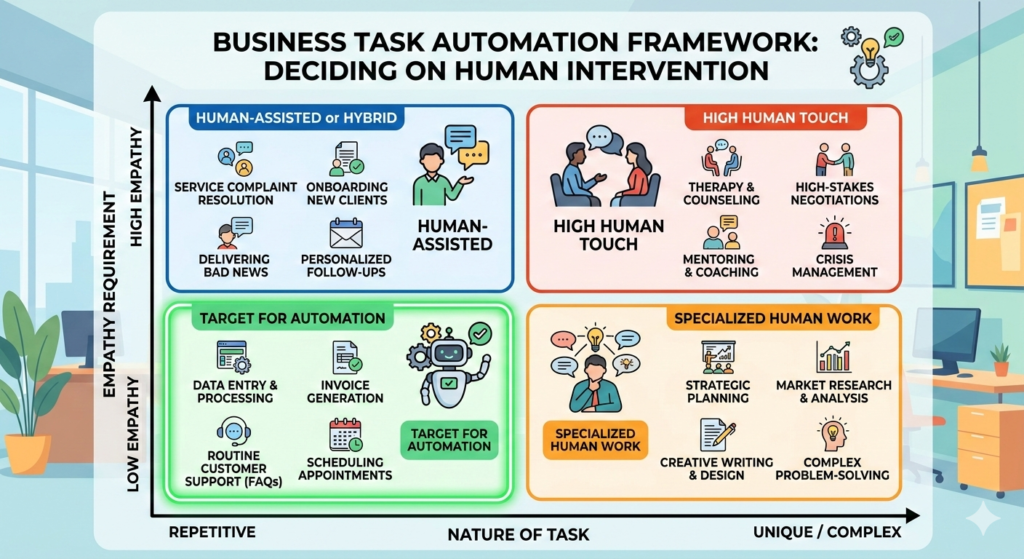
To protect your client relationships, you need to audit your daily operations. You can divide your workflow into two distinct categories: backend logistics and front-facing interactions.
The Backend Logistics (What to Automate)
These are the invisible processes that keep the business running. They require zero empathy and zero creative problem-solving. This is where you should focus your efforts to eliminate manual labor.
- Data transfer between software platforms.
- Sending standard payment receipts and invoices.
- Scheduling calendar appointments.
For a complete guide on how to build the systems that handle these logistical steps seamlessly, refer to The Solopreneur Automation Blueprint: A Complete Guide.
The Front-Facing Interactions (What to Keep Human)
These are the moments where trust is built or broken. They require emotional intelligence, nuance, and business personalization.
- Custom strategy development.
- Resolving customer complaints or managing conflicts.
- The final review of any creative deliverable.
Injecting Personalization at Scale
Just because a process is largely automated doesn’t mean it has to feel robotic. You can build strategic pauses into your workflows where human interaction is required before the system continues.
For example, client onboarding usually involves a lot of automated paperwork and file creation. However, the actual welcome message should feel highly personal. Instead of a generic text email, sending a quick, custom video to say hello makes a massive impact. Integrating a tool likeBonjoro into your onboarding sequence allows you to quickly record a personal greeting from your phone while the rest of the backend setup happens automatically.
This hybrid approach gives you the speed of software with the warmth of a one-on-one interaction.
Conclusion
Knowing when not to use technology is just as important as knowing how to use it. You should absolutely automate boring tasks like data entry, file sorting, and appointment scheduling to protect your time. However, you must aggressively guard the high-value, empathetic interactions that build long-term trust. By maintaining a clear boundary between backend logistics and human connection, you can scale your business efficiently while maintaining a premium client experience.
Frequently Asked Questions (FAQ)
What types of tasks should I automate first?
You should start by automating tasks that are highly repetitive, follow strict rules, and require no emotional intelligence. Common examples include data entry, sending meeting reminders, backing up files, and generating basic invoices.
How do I maintain business personalization while scaling?
You can maintain personalization by automating the delivery mechanism but customizing the content. For instance, an automated system can remind you to send a milestone check-in, but you physically write the specific feedback or record a personal video for that particular client.
Is it okay to use AI to write client emails?
It is acceptable to use AI to outline or draft the foundational structure of an email, especially for routine inquiries. However, you should never send an AI-generated email to a client without reviewing it and injecting your own voice, tone, and specific context.
What happens if I automate customer support entirely?
Fully automating customer support with basic chatbots often leads to high client frustration. If a client has a nuanced problem, getting stuck in an automated loop damages trust. Always provide a clear, easy way for clients to bypass the automation and speak to a human.