The human brain is incredibly unpredictable. Your best business strategies and creative breakthroughs rarely occur when you are sitting formally at your desk, staring at a blank document. Instead, the “Aha!” moments usually strike when you are walking the dog, driving on the highway, or taking a shower.
The problem is that these ideas are highly volatile. If you do not record them within seconds, they evaporate. However, stopping to unlock your phone, opening a specific app, and typing out a complex thought with your thumbs is often unsafe, inconvenient, or outright impossible in the moment.
To bridge the gap between inspiration and execution, you need a frictionless, hands-free system. This guide will show you how to leverage voice to text automation to ensure your best ideas are always safely recorded and routed to your digital workspace without you ever touching a screen.

What is Voice to Text Automation?
To build a reliable system, we must first define the technology powering it.
Voice to text automation is the process of using artificial intelligence software to instantly transcribe spoken words into written digital notes without manual typing. It allows creators to capture fleeting ideas hands-free, automatically routing the transcribed text into a centralized personal knowledge management system.
Unlike old-school dictation software that required you to speak like a robot, modern AI understands natural language, heavy accents, and context. It acts as an invisible secretary that follows you everywhere.
The Bottleneck of Mobile Productivity
We carry powerful computers in our pockets, yet mobile productivity remains notoriously inefficient for content creation. The friction involved in manual data entry is the enemy of idea generation.
If it takes you five steps to write down a thought (unlock phone -> find app -> open new note -> type out words -> save), your brain will often convince you that the idea “isn’t worth the effort” right now. You tell yourself you will remember it later, but you rarely do.
Removing this friction is critical. You must reduce the capture process to a single step—or better yet, a single spoken command.
Designing Your Idea Capture Workflow
A successful idea capture workflow requires setting up a seamless pipeline from your mouth directly to your digital database.
The first step is establishing the “Trigger.” You need a way to activate the listening software instantly.
For iOS users, configuring a custom command via Otter.ai or Apple Shortcuts is a game-changer. You can set up a shortcut so that saying a phrase like “Hey Siri, capture idea,” instantly opens your transcription app and begins recording. Alternatively, you can map this function to the physical “Action Button” on modern smartphones, allowing you to record a thought while the phone remains completely locked in your pocket.
Transforming Audio Notes to Text
Once the trigger is activated, the software must handle the processing. Simply recording a raw voice memo is not enough; nobody has the time to go back and listen to 45 separate one-minute audio clips at the end of the week.
The goal is to convert audio notes to text instantly. Modern AI transcription tools do this in real-time. Furthermore, they remove filler words like “um” and “ah,” apply proper punctuation, and structure your rambling thoughts into readable paragraphs.
This gives you a scannable, searchable text document that you can easily edit and use later.
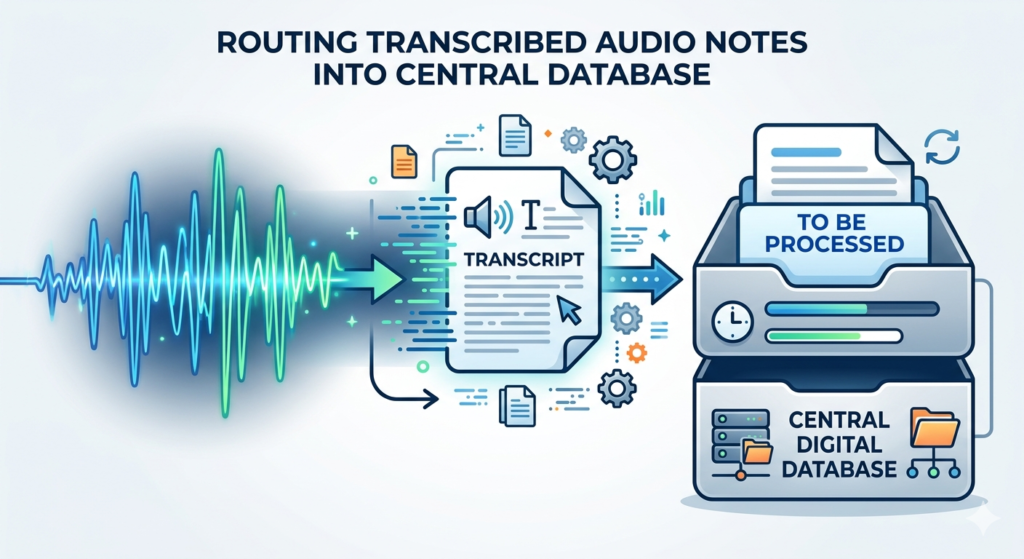
Routing the Idea to Your Second Brain
Capturing the text is only helpful if the note ends up in the right place. A stray text file sitting on your phone’s local storage is virtually useless.
Your automation should be configured to push the final transcribed text directly into the “Inbox” folder of your primary database. For a comprehensive guide on how to structure this central repository effectively, read our in-depth tutorial on Building a Second Brain: A Guide for Creators.
By routing the note to your centralized Inbox, you ensure that the raw idea is waiting for you when you sit down at your desk to do your weekly planning or writing.
Conclusion
Your best ideas deserve to be remembered, no matter where you are when they occur. By implementing voice to text automation, you eliminate the physical friction that causes thoughts to be lost. Building a hands-free capture workflow empowers you to brain-dump complex strategies while driving, walking, or running errands. Stop trying to hold everything in your head and start talking to your digital assistant—your future creative self will thank you.
Frequently Asked Questions (FAQ)
Is voice to text automation accurate with background noise?
Yes, modern AI-based transcription tools are incredibly adept at filtering out background noise, such as wind, traffic, or cafe chatter. They use machine learning to isolate human vocal frequencies, resulting in highly accurate transcripts even in less-than-ideal environments.
Can I use my smartwatch to capture audio notes?
Absolutely. Using a smartwatch is often the most frictionless method available. You can add a complication (a shortcut button) directly to your watch face. Tap your wrist once, speak your idea, and the automation will transcribe and send it to your database without you ever touching your phone.
What happens to the original audio file after it is transcribed?
Most premium dictation tools save both the text transcript and the original audio file. This is helpful if the AI misinterprets a highly specific industry acronym; you can click on the text to play back that exact moment of audio and correct the error manually.
How do I remember to process these captured ideas?
The capture workflow must be paired with a maintenance routine. The captured notes should automatically land in a designated “Inbox.” You must then review and organize this Inbox during your weekly administrative time so the ideas are actually put to use.